Create & Sell Online Courses
Your course, your students, your sales.
All in one place.
Turn what you know into a course people can buy and learn from at their own pace. Build your lessons, create your sales page, take payments and give students access inside Client Ready Hub.
With ready-to-use templates, training and tech support, you have a starting point and help when you need it.
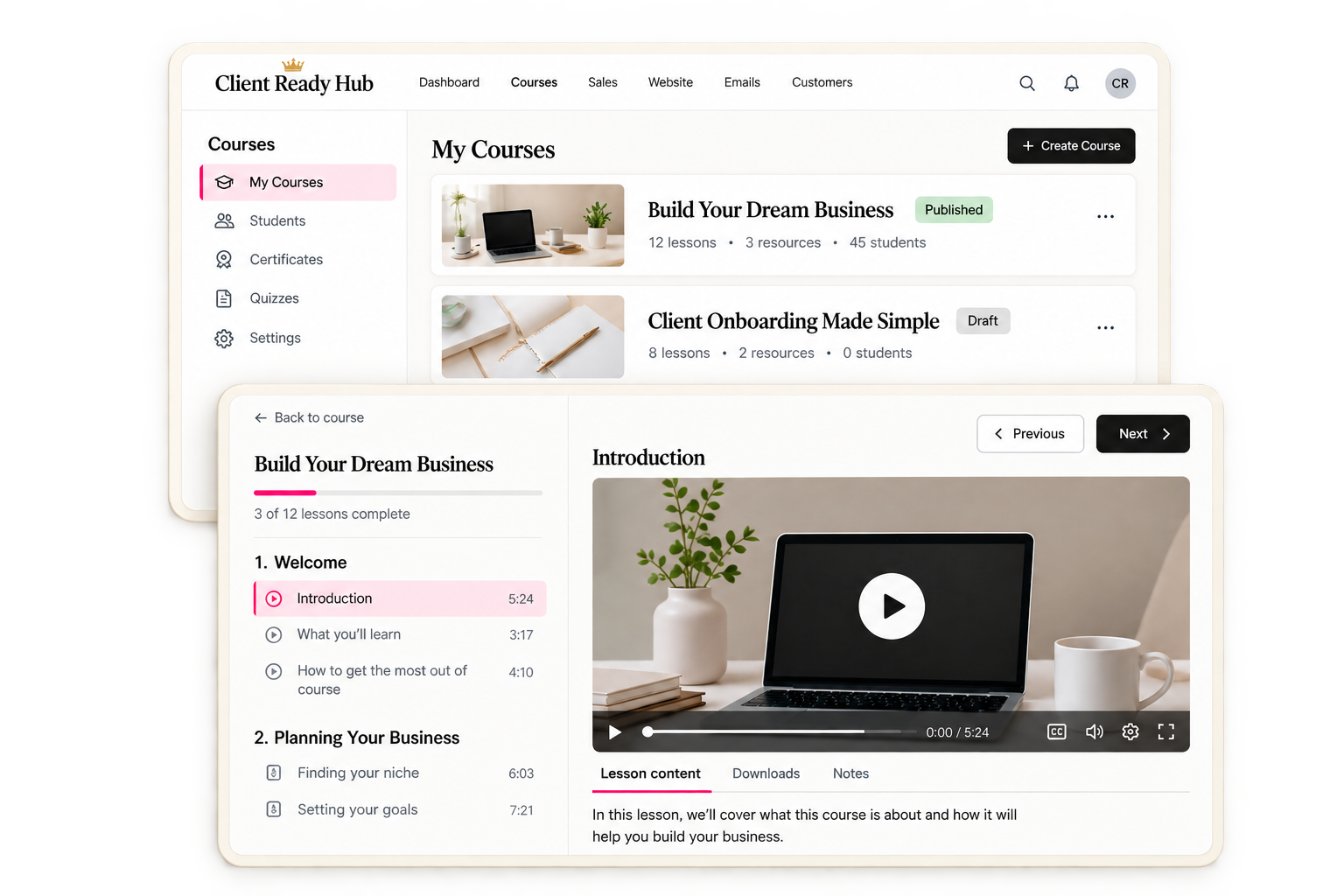
Free and paid courses • Video lessons and downloads • Scheduled lessons • Quizzes and certificates
You know what you want to teach.
But where do you start?
Maybe you have a course idea, a folder full of training videos or a process you keep explaining to your clients.
Then you sit down to put it online, and the questions start.
Where do I upload my videos? How will people pay? Where do they log in? How do I send them their access?
Before you’ve even added your first lesson, you’re trying to figure out how everything is supposed to work.
Inside Client Ready Hub, you can build your course and set up what happens around it in the same place. Your pages, payments, emails and student access can work together, with training to show you what to do next.
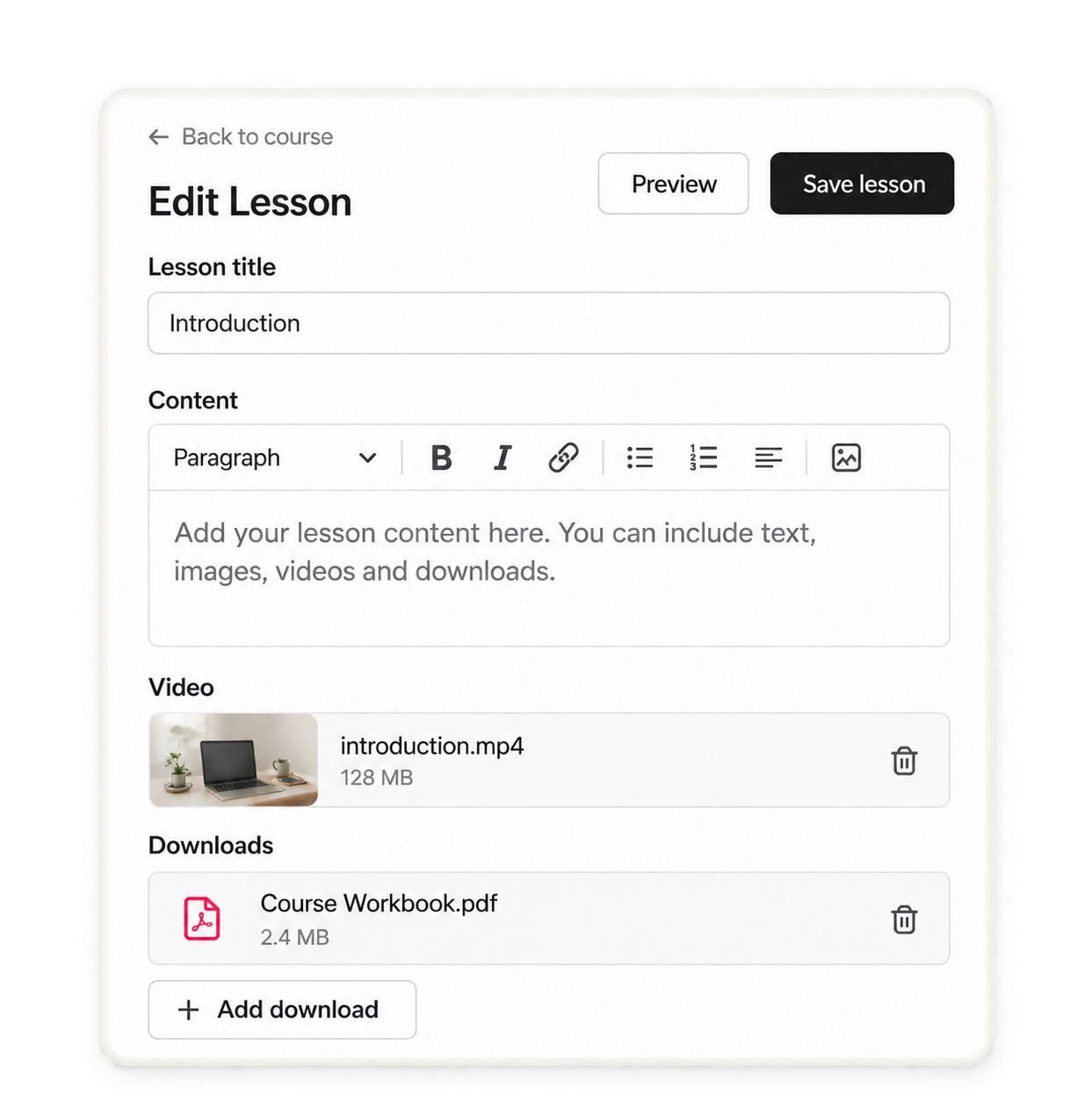
Give your students one place to find everything.
Your videos, worksheets and instructions belong together, so your students can spend their time learning instead of looking for the right link.
Organise your course into sections and lessons, add your content and put it in the order you want people to follow.
Inside your course, you can:
Upload video lessons.
Add written instructions and explanations.
Include worksheets, checklists and other downloads.
Group related lessons into sections.
Move lessons around as your course takes shape.
Preview your content before you publish it.
Start with what you already have and build from there. You can come back to update your lessons as your course grows.
Make it look and feel
like your business.
Someone buys from your website, opens your welcome email and logs in to learn. You want each step to feel familiar.
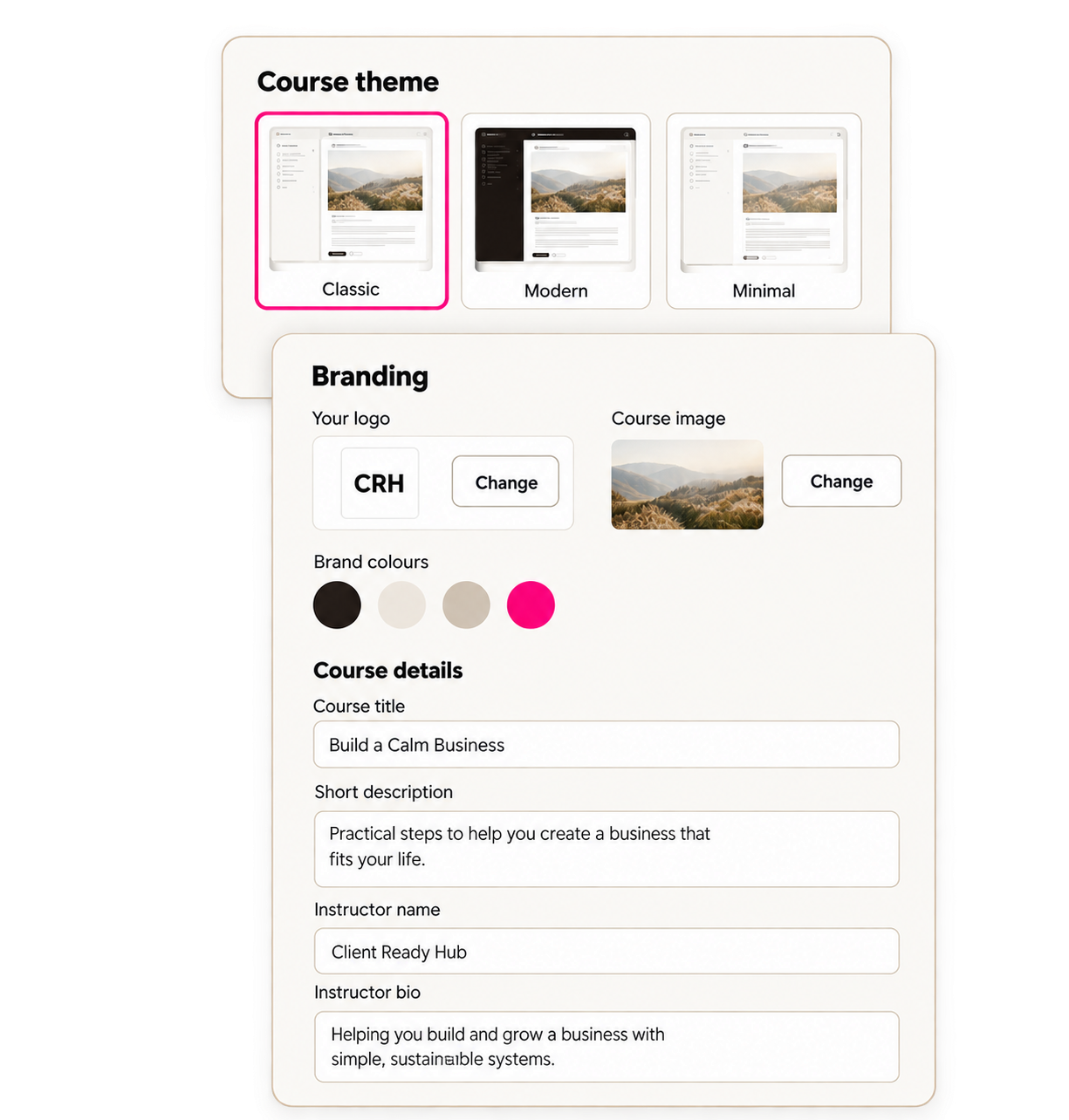
Choose a course theme, add your branding and customise the available settings to make the learning area your own.
Add your logo and course images.
Use your brand colours.
Choose from the available themes and layouts.
Add your course description and instructor details.
Keep the look consistent with your sales pages and emails.
You have a starting point to work with, so you can focus on making it yours.
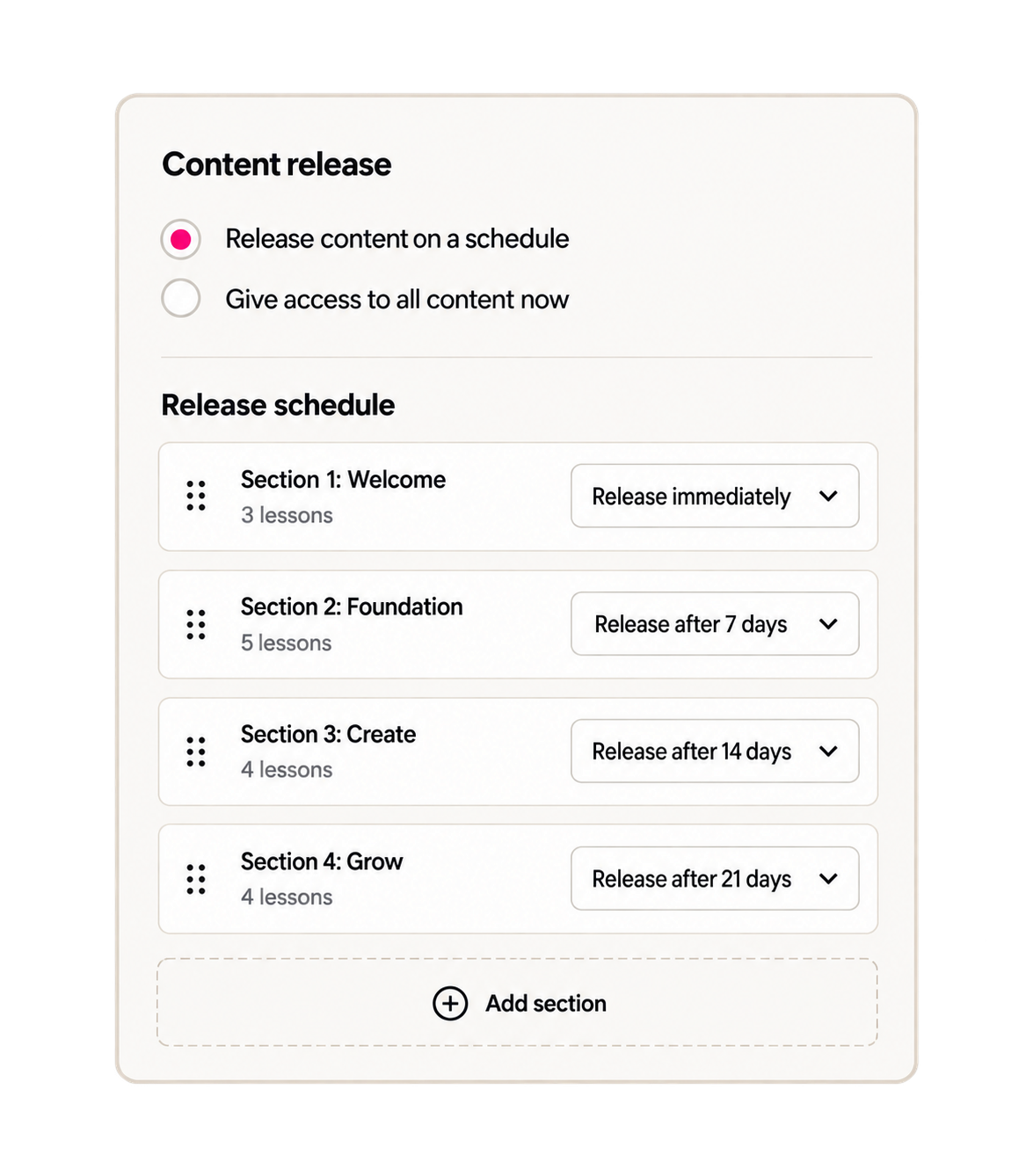
Share the whole course now, or release it one step at a time.
Some courses work best when students can go through everything at their own pace. Others need a little space between lessons so people can put what they’ve learned into practice.
You can choose how your content becomes available.
Give students access to all published lessons when they join.
Release sections over time after they enrol.
Keep unfinished content in draft until it’s ready.
For example, you could give students the first section when they join, then release the next one a week later.
Set up the schedule in advance, so you don’t have to come back and manually unlock each section.
Sell one course, put a few together or include them in a membership.
Your course can be a paid offer on its own, a free introduction to your work or part of a bigger program.
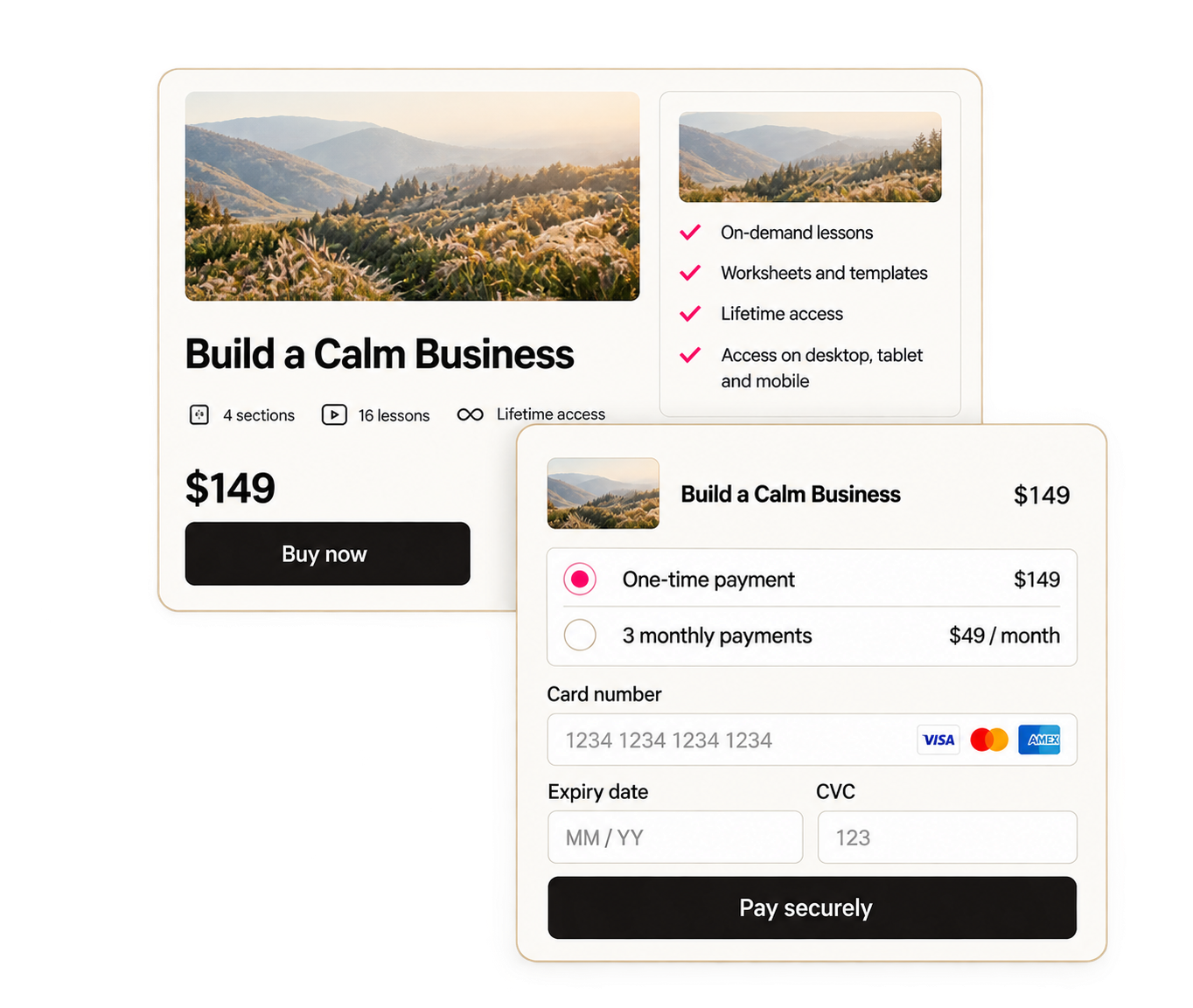
Choose what people get access to and how they pay. Then use a course checkout or build a full sales page to explain what’s inside.
You can:
Offer free courses.
Sell a course with a one-time payment.
Set up recurring payments for ongoing access.
Bundle several courses into one offer.
Include course content in a coaching program or membership.
Connect the purchase to automatic course access.
Your sales page, checkout and course can all sit inside CRH, so you can manage the setup in one place.
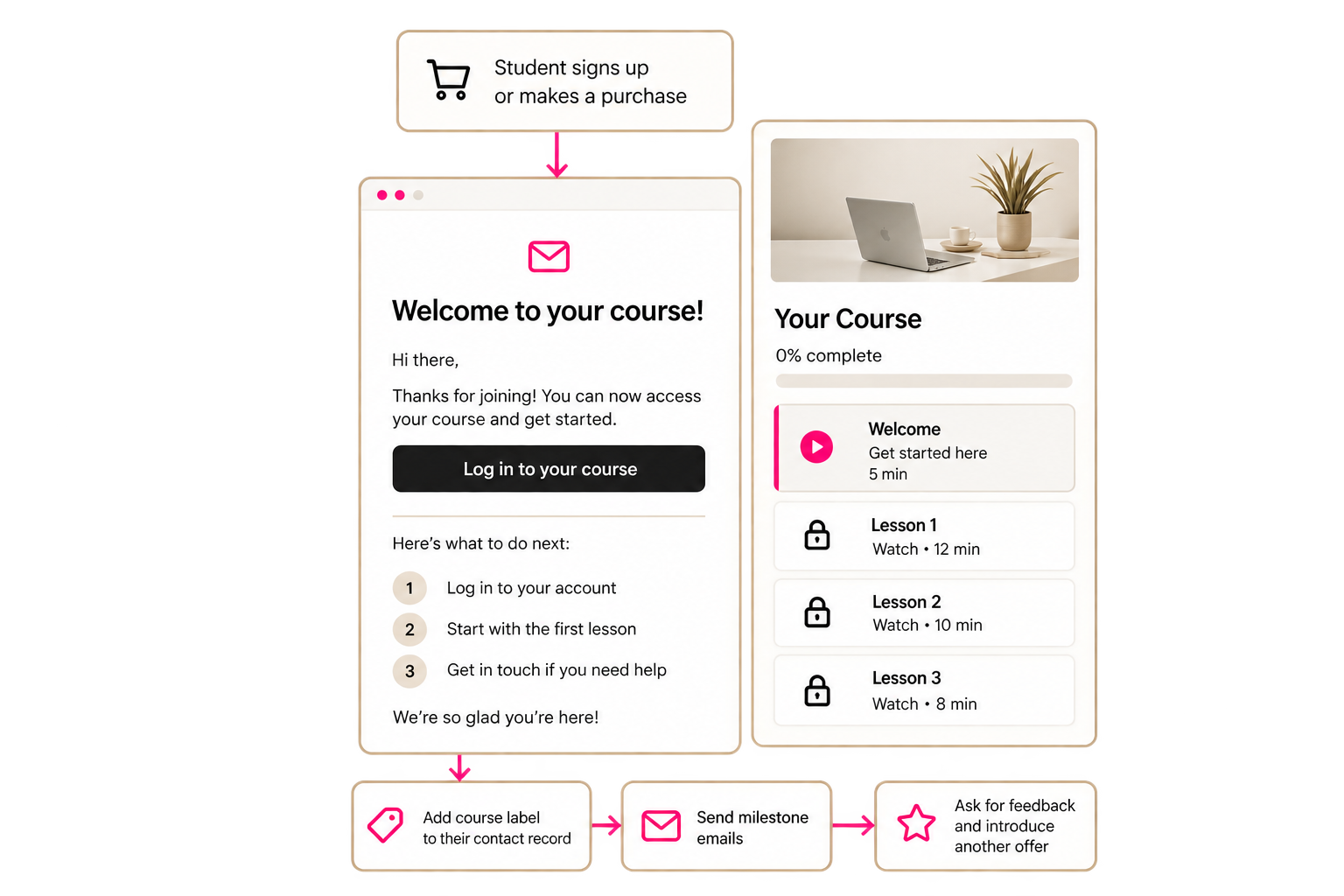
They’ve signed up. Now make it clear what happens next.
Your new student shouldn’t have to message you to ask where their course is.
Set up a welcome email that tells them how to log in, where to start and how to get help. Connect it to their signup or purchase so the next steps happen automatically.
You can set up your system to:
Give students access after a purchase or free signup.
Send their welcome email and login instructions.
Add a label to their contact record showing which course they joined.
Send emails when they reach certain course milestones.
Ask for feedback when they finish.
Introduce another relevant offer when they’re ready.
Once you’ve set up and tested the process, each new student can follow the same steps without you sending everything by hand.
See how your students are getting on.
Getting someone into your course is the first step. You also want to know whether they’re working through it.
CRH lets you check student progress, add quizzes and recognise when someone finishes.
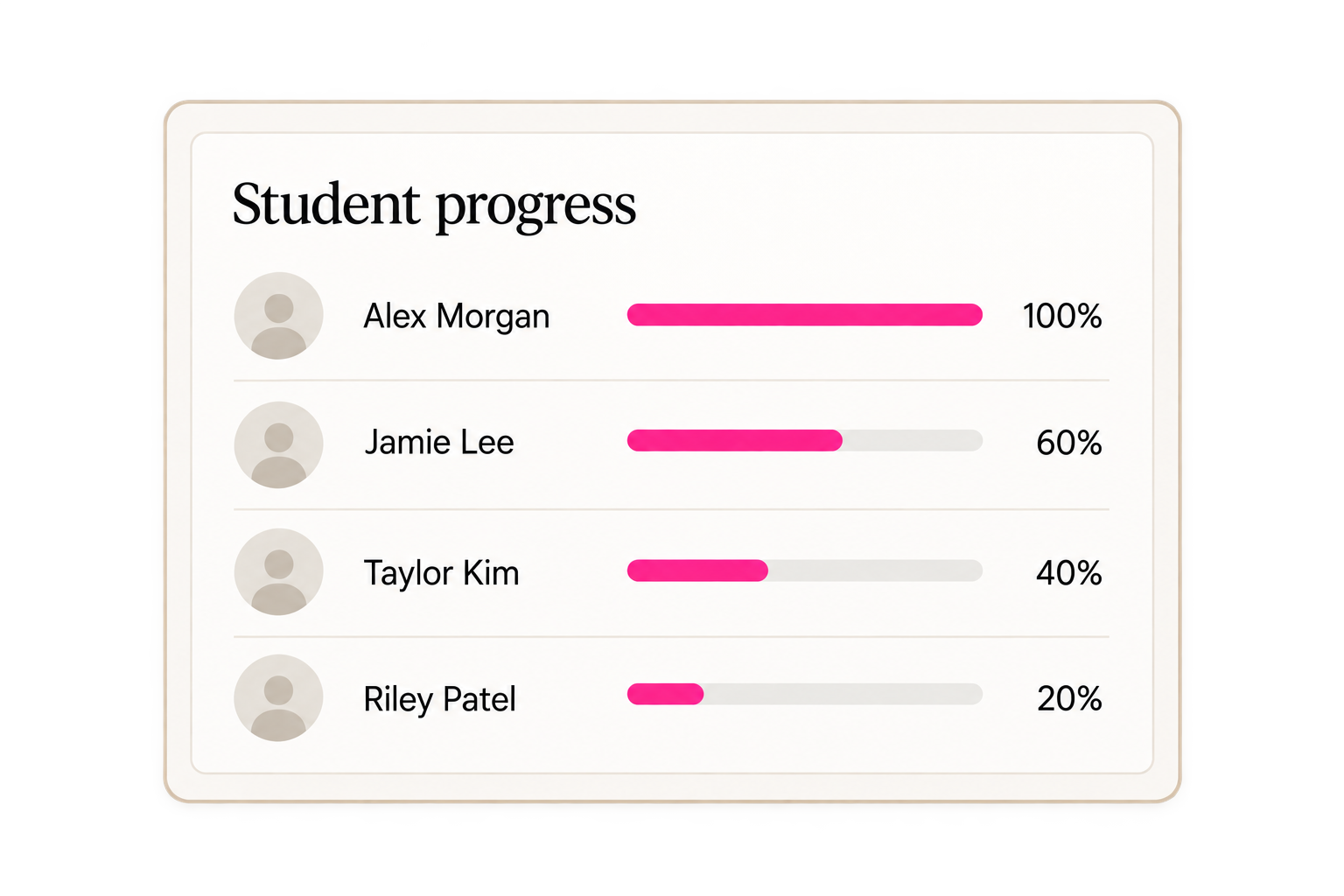
See their progress
Getting someone into your course is the first step. You also want to know whether they’re working through it.
CRH lets you check student progress, add quizzes and recognise when someone finishes.
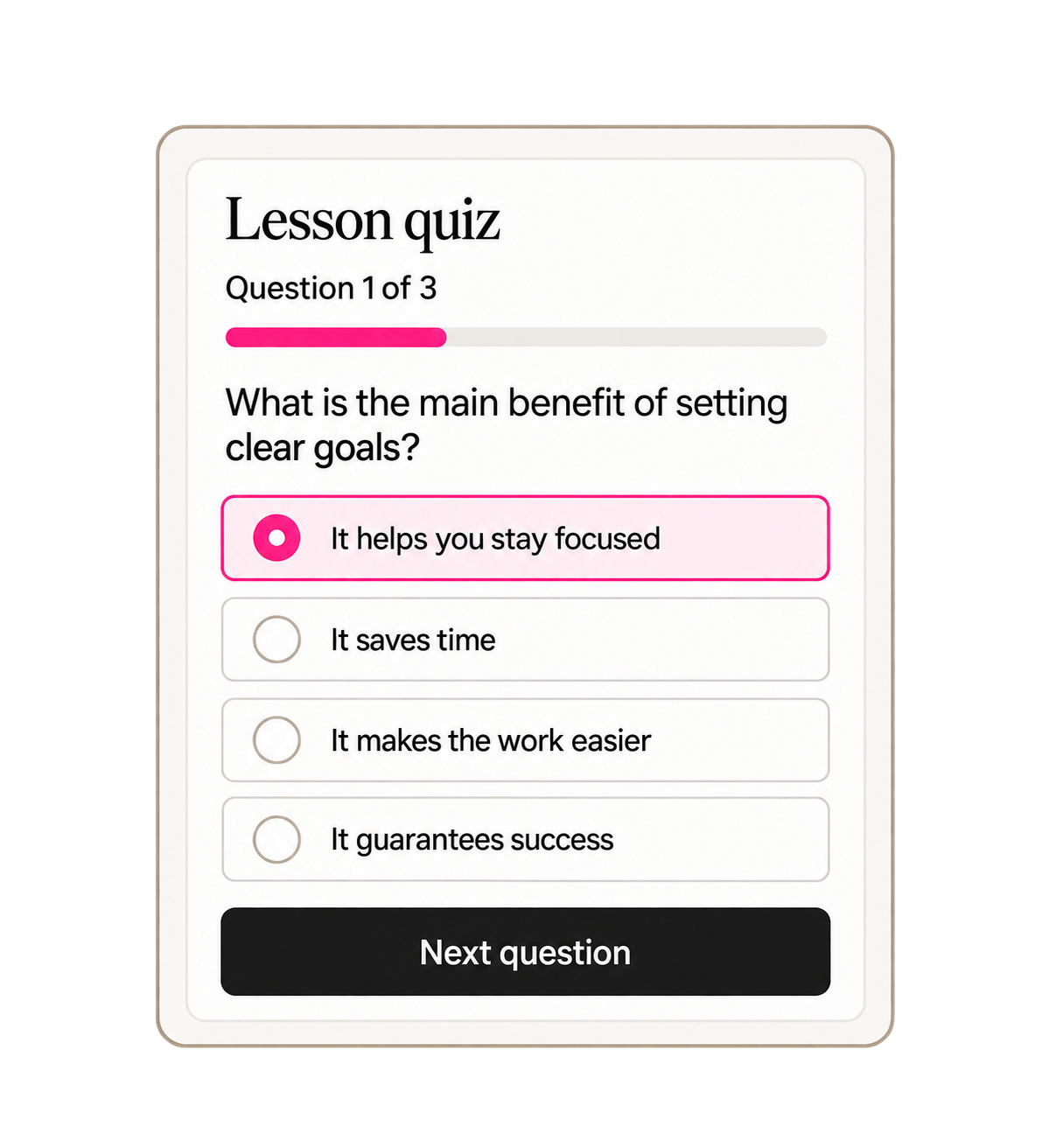
Add quizzes
Give students a chance to check what they’ve learned before moving on. Quizzes can help you see which parts of the course may need a clearer explanation.
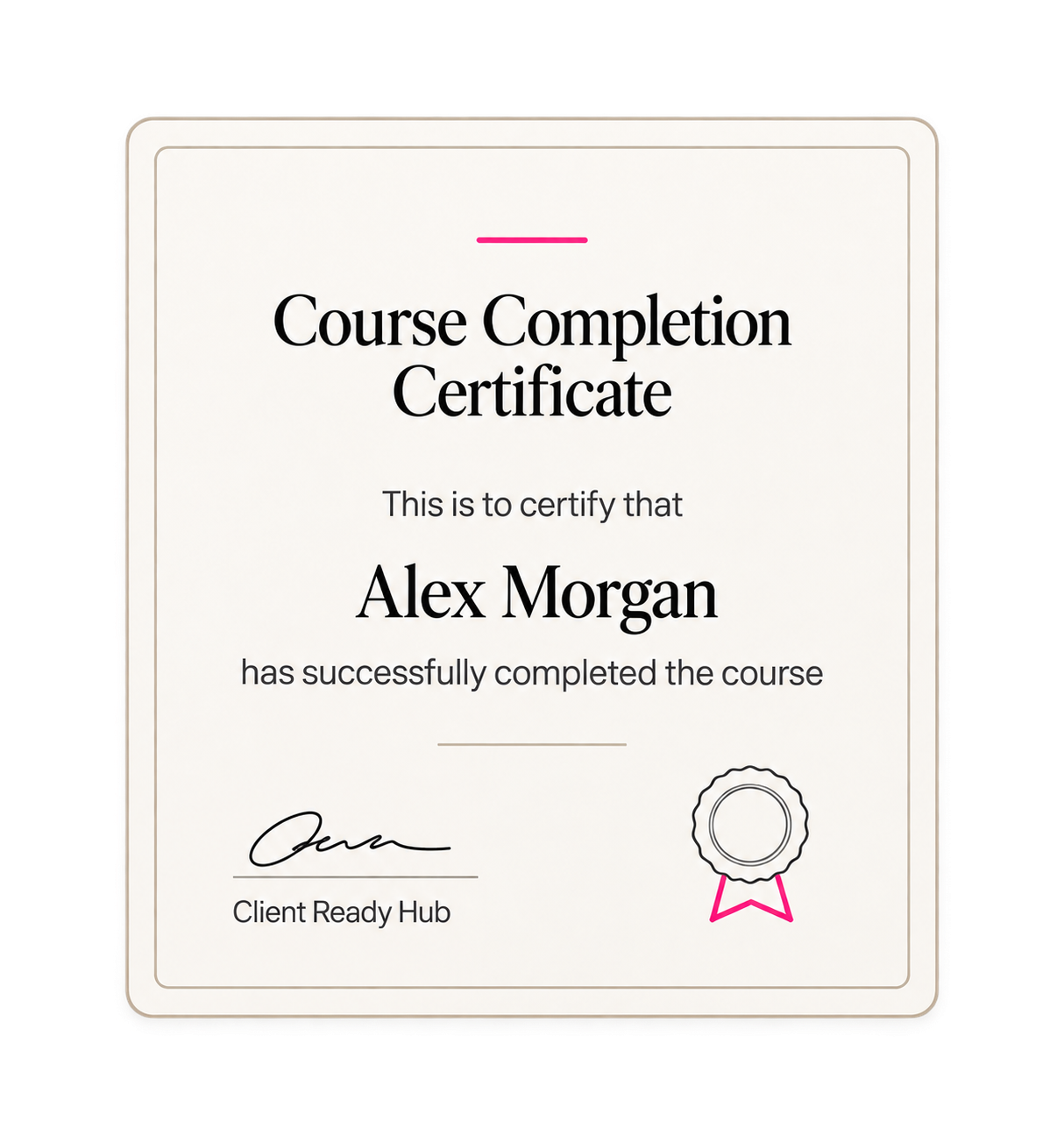
Celebrate completion
Create a course completion certificate and set it up to send automatically when a student meets the completion requirements.
You don’t need a huge course to get started.
You might have a full program ready to teach. Or you might want a better place for a few videos and resources you already share.
Here are a few ways you can use the course area inside CRH.

A free mini-course
Teach one useful thing and give people a chance to experience how you work.

A course people can work through in their own time
Bring your knowledge into a clear set of lessons that students can buy and follow at their own pace.

A workshop replay library
Keep your recordings and supporting resources together so people can come back to them.
Resources for your coaching clients
Give clients lessons, exercises and worksheets to work through between sessions.

A membership training library
Organise your training in one place and add new content as your membership grows.
Client onboarding
Show new clients how you work, what they need to prepare and what happens next.
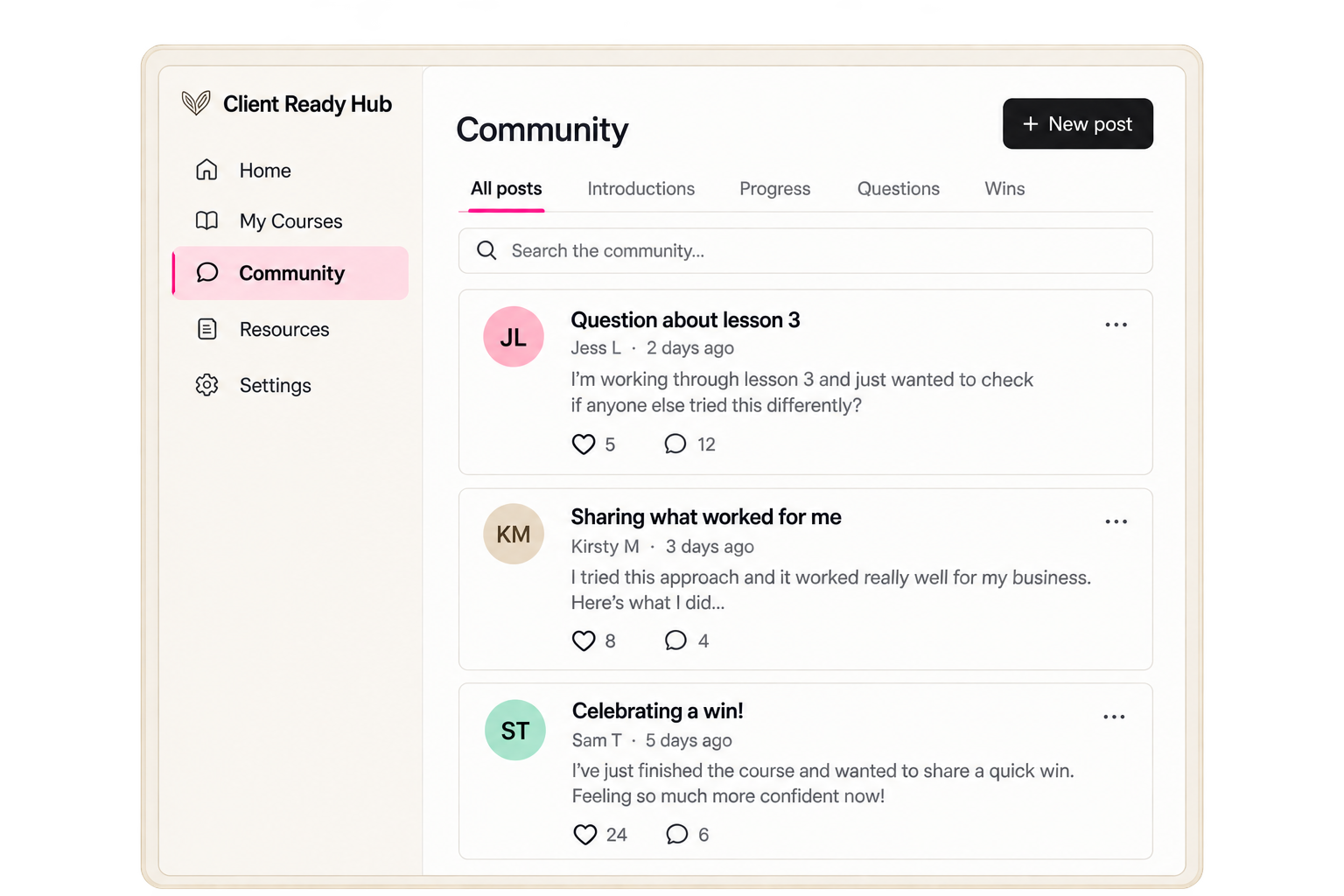
Give your students somewhere to ask questions, too.
Sometimes a lesson brings up a question. Sometimes people want to share what they’ve tried or hear from someone working through the same thing.
You can add a community alongside your course, giving students a place to talk, share progress and get support.
Keep your teaching organised in the course area and use your community for the conversations around it.
You can offer community access as part of your program or membership, depending on how you want to support your students.
Your course is ready.
Now let’s help people find it.
Having somewhere to host your lessons is only part of the work. You also need to tell people about your course, explain why it’s useful and give them a way to buy.
Those tools are inside CRH, too.

Build interest before you launch
Create a waitlist or free resource and collect the details of people who want to hear more.

Create your sales page
Explain who the course is for, what’s included and what students will learn. Start with an included template and add your own content.

Plan your social media
Create and schedule posts across your connected accounts to share your course and keep your launch content organised.
Send your launch emails
Let your audience know when enrolment opens, answer common questions and send reminders.

Keep track of conversations
See your contacts and manage messages from supported channels, so you can pick up a conversation knowing what you’ve already discussed.
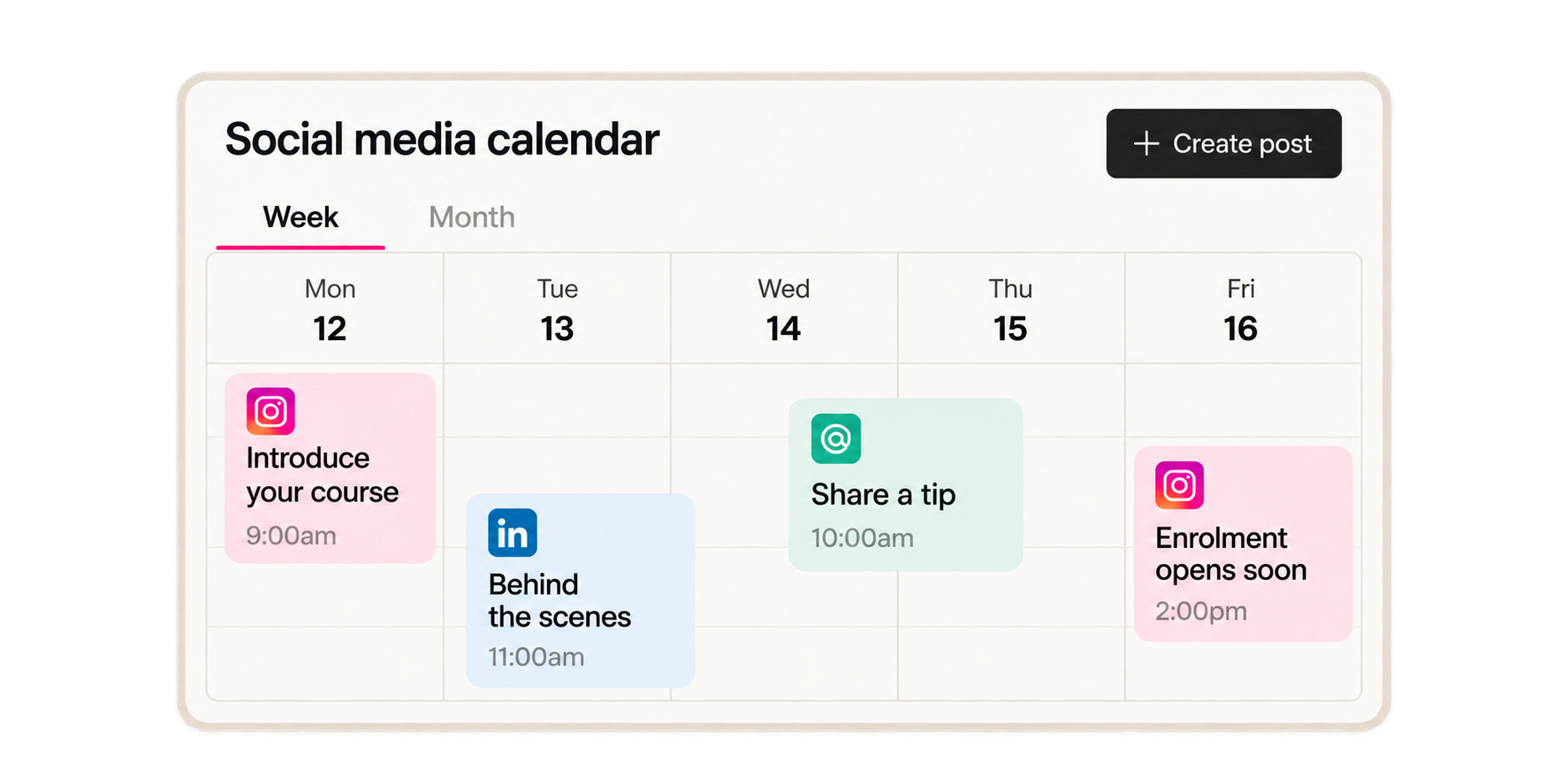
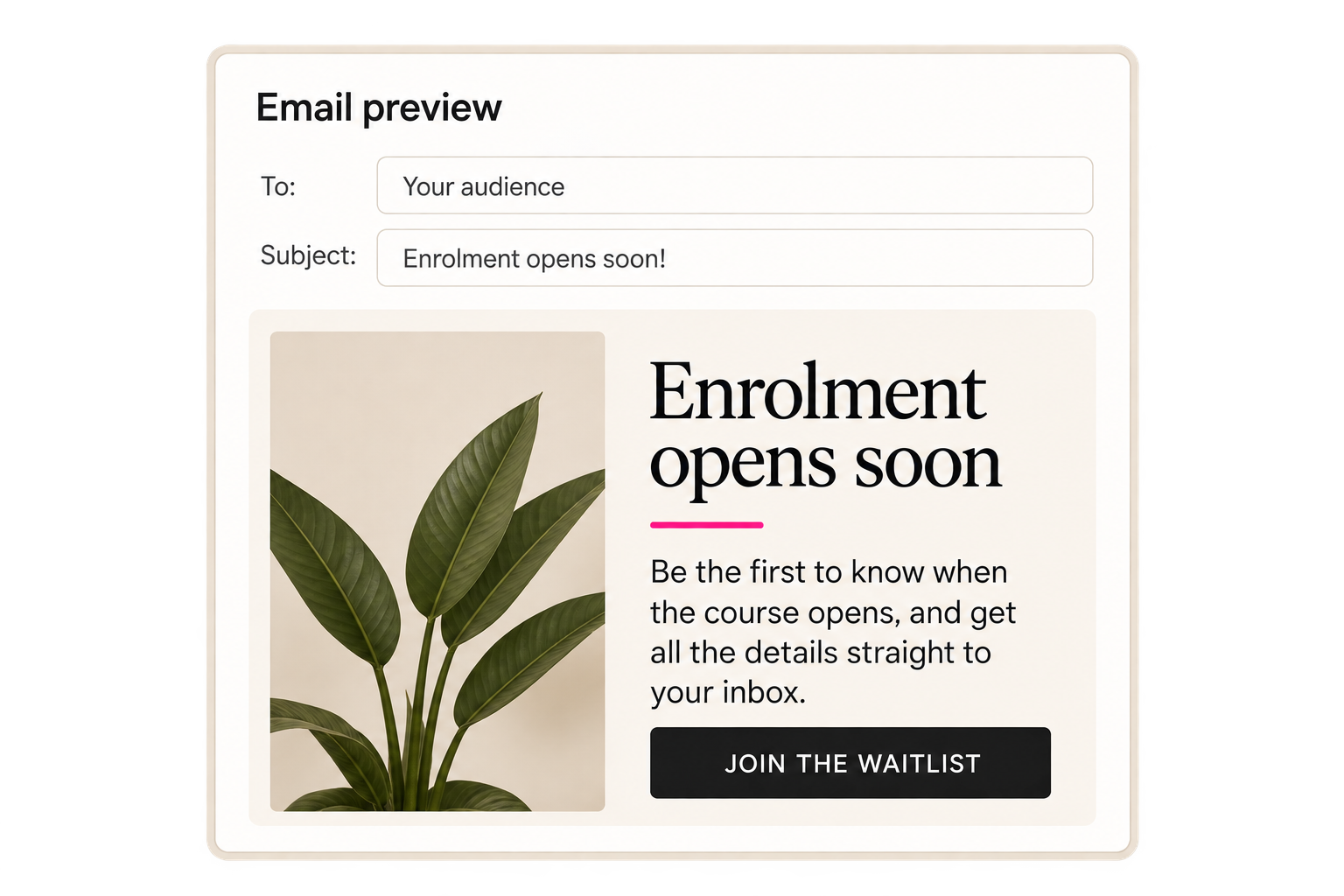
From the first post someone sees to the lessons they log in to watch,
you can manage the process inside Client Ready Hub.
You don’t have to figure out the whole setup yourself.
A course needs more than somewhere to upload videos. It needs a way for people to find it, buy it and know what to do next.
We built Client Ready Hub with an Online Business Manager’s approach, thinking through those steps and what needs to happen behind the scenes.
Here’s what you have to help you get started.
Ready-to-use templates
Start with a page that’s already designed, then add your words, images and branding. All templates in the CRH template library are included with your membership at no extra cost.

Prepared workflows
Use the workflows available inside CRH as a starting point. Adjust the emails, timing and actions to fit your offer, then test everything before you launch.

Step-by-step training
Get familiar with the platform and follow the training as you work through your setup. Pause, make your changes and come back when you’re ready for the next step.
Weekly training and replays
Keep learning how to use the platform through weekly training. If you can’t join live or want to go over something again, you can watch the replay.
Tech support
If something isn’t working or you’re unsure how a feature works, ask for help. Get an explanation of what to check and what to do next, so you can keep moving.
You bring your knowledge and course content.
We give you the tools, starting points and support to help you put it online.
A few things you might be wondering
Do I need to have my whole course recorded before I start?
No. You can create your course structure, add the content you have and keep unfinished lessons in draft. Before you sell, make sure the content you promise is ready, or clearly explain when students will receive it.
Can I upload my videos directly?
Yes. You can upload supported video files directly into your course lessons. Upload limits and supported file types apply, so check those before adding your recordings.
Can I add worksheets and other downloads?
Yes. You can include downloadable resources alongside your lessons, so students can find the video, instructions and supporting files together.
Can I offer a free course?
Yes. You can use a free course to introduce people to your work, share useful training or give existing clients access to resources.
Can I sell several courses together?
Yes. You can put multiple courses into one offer, giving students access to the courses included in that bundle.
Can I release lessons weekly?
Yes. You can schedule sections to become available over time after someone enrols. This lets you spread out the learning instead of giving access to everything at once.
Can I see whether students are completing the lessons?
Yes. You can check student progress and see completed lessons. You can also add quizzes to help students check what they’ve learned.
Can students receive a certificate?
Yes. You can customise a course completion certificate and set it up to send automatically when students meet the completion requirements.
Can I move a course from Kajabi?
There is an import tool for supported Kajabi course content, including published lesson text, images and videos. It doesn’t move every part of your setup. Quizzes, assessments and assignments need separate attention, and you’ll still need to review your payments, pages, emails and access settings.
Do I need to connect a payment provider?
Yes, if you want to take payments for your course. You’ll need to connect a supported payment provider. Payment processing fees and any applicable usage charges are separate from your CRH subscription.
Are the templates included in my membership?
Yes. All templates in the CRH template library are included at no extra cost for members. Choose the ones you want to use and customise them for your business.
Will your team build my course for me?
Your membership gives you the platform, included templates, training and tech support to help you build it. If you’d like someone to handle the setup for you, contact us to discuss available done-for-you services and pricing.
Is Client Ready Hub built on GoHighLevel?
Yes. CRH is built on GoHighLevel. We’ve added our own templates, prepared systems, training and support to help you use the platform in your business.
Ready to give your course a home?
Build your lessons, sell your course and look after your students in one place.
With templates to start from, training to follow and support when you need it, you don’t have to work out every step on your own.
Take a look at what’s included inside Client Ready Hub.